The short answer
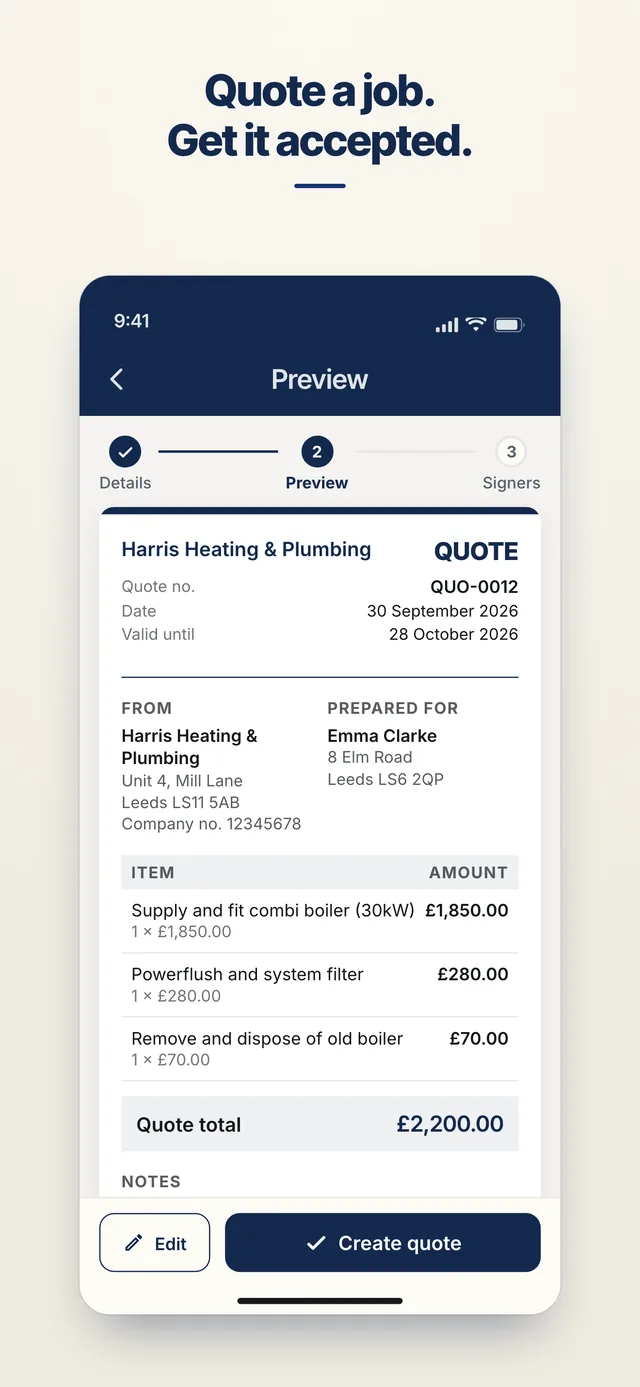
Stop date clashes and last-minute cancellations costing you money. Agree the booking, the deposit and what happens if the date moves. Send it from your phone, your client signs in their browser with no account, and you keep proof of who signed and when.
What to agree before the booking
- Date, venue, times and what you supply
- Deposit and payment schedule
- Cancellation and postponement
- Venue access, setup and breakdown
- Weather, illness and supplier substitution
Which AgreeVia documents fit
- Quote: price the job up item by item, with VAT worked out. Your customer signs to accept it, and one tap turns it into an invoice later
- Deposit invoice: ask for a percentage up front, and get it confirmed with a signature before you start
- Invoice: bill the finished job, with the VAT worked out to the penny and your bank details on it
- Freelance Services Agreement: the services, the fee (fixed, daily or hourly), intellectual property and confidentiality. For a private client it adds the 14-day right to cancel. Free
- Upload your own PDF: already have terms you like? Upload them, place signature, initials, date and name boxes where each person signs, and send
How it works
- Fill it in on your phoneAnswer a few plain questions, or type the items into a quote. You see a preview before anything is created.
- Add who signsPick them from your contacts, or type their email address and AgreeVia sends them a link.
- They sign without an accountThey open it in their browser, read it and sign with a finger. No app to install.
- Everyone keeps a copyThe signed PDF goes to everyone. Every view and signature is in a tamper-evident audit trail you can check at agreevia.co.uk/verify.
Proof, if there's a dispute
Every view and signature is recorded with a time stamp in a tamper-evident audit trail. If someone remembers the deal differently, you have the signed document, a record of when they opened and signed it, and an evidence package you can generate. AgreeVia doesn't give legal advice, and it doesn't take payments: your bank details go on the invoice and your customer pays you directly.
FAQs for event and wedding suppliers
Do cancellation rights apply to a couple booking me?
Often, for a private client booking online or by phone, so say in writing how cancellation and postponement work. See Deposits and kill fees.
Can I take a deposit to hold the date?
Yes: agree it in writing, and say whether it is refundable.
Does my customer need to download anything?
No. They get a link, open it in their phone or computer's browser, and sign. They don't need an account or the app, and they get the signed PDF by email.
Is an electronic signature legally valid in the UK?
For everyday business documents like quotes, job agreements and invoices, yes, as long as the person meant to sign. Some documents, such as wills and some deeds, have stricter rules. See Are electronic signatures legal in the UK?
Send your first document free
Free for 3 documents a month, no card needed. Already have an account? Sign in. AgreeVia works in your browser and is live on Google Play. Coming soon to the App Store.
Related pages
Photographers and videographers · Wedding cars and chauffeurs · Video production