What it is
An invoice is usually just a request for payment. Use AgreeVia when you want more than that: proof that your client has seen the invoice and agreed the amount.
What you fill in
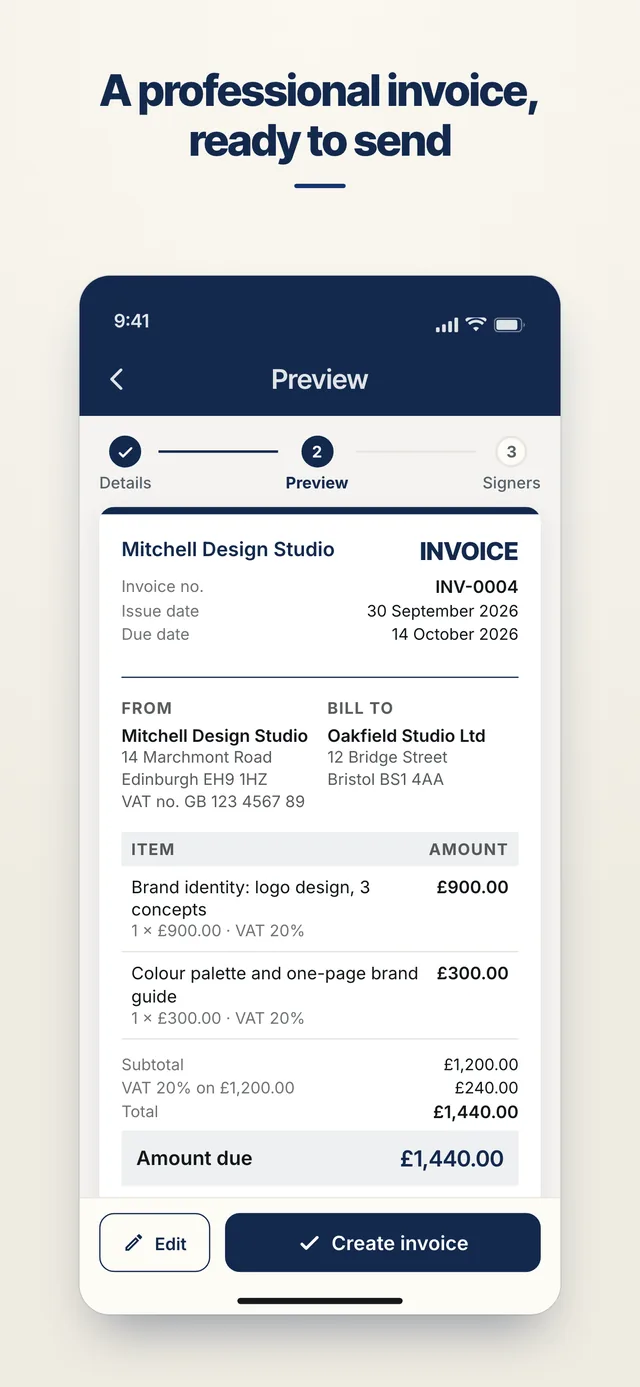
- Your business name, address, email and phone, plus a VAT number and company number if you have them
- Your client's name, address and email
- Items with a description, quantity and unit price. Negative prices work as discounts
- A VAT rate per item (20%, 5%, 0% or exempt) if you charge VAT
- Issue date and due date (or pick 7, 14 or 30 days)
- Payment details for your client: account name, sort code, account number and a reference
- Notes, and a title for your documents list
Numbering: INV-0001, then INV-0002 and so on for each issuer, or type your own number. Your details are filled in from your last invoice next time.
After you create it
Your client confirms the invoice with a signature, the same way they would sign a contract.
Payment status runs in two steps. Your client can tap "I've paid", and you confirm you've received it. You can also mark it paid yourself, or reopen it. Each change goes into the audit trail.
In the app
Send it to sign
- Add who signsChoose people from your contacts, or send a link by email to anyone else.
- They sign on their phoneSigners open the link in their browser and sign. They don't need an account or the app.
- Keep the proofEveryone gets the signed PDF. Every view and signature goes into a tamper-evident audit trail, and you can generate an evidence package and check the document at agreevia.co.uk/verify.
Good to know
- AgreeVia works out the totals, and the VAT on each rate, to the penny. It is not an accounting package, and it does not take payment: your bank details are shown on the invoice for your client to pay you directly.
- You are responsible for the VAT and tax treatment of what you issue. If you are unsure whether a layout meets HMRC's rules for a VAT invoice, check with your accountant.
- Invoices, quotes and uploads all count towards the 3 free documents a month on the free plan. Pro removes the limit.
If you have a logo, name and colours set up on AgreeVia Pro, they are added to the document automatically.
Get started
AgreeVia is launching soon on iPhone and Android. Leave your email and we'll tell you the day it's ready.