The short answer
For a design job, agree the brief, how many concepts and revision rounds are included, which files the client gets, and what rights they have to use the work, all before you start. A signed agreement turns "just one more tweak" into a priced extra.
What to agree before the job
- The brief and the deliverables, such as a logo, brand guidelines, print files or social templates
- How many initial concepts, and how many rounds of revisions
- Final file formats, and whether source files are included
- Who owns the artwork and when, or what licence the client gets
- Whether you can show the work in your portfolio
- What happens if the client cancels part-way (a fee for work done so far)
- Deposit and payment terms
Which AgreeVia documents fit
- Freelance Services Agreement: the services, the fee (fixed, daily or hourly), intellectual property and confidentiality. For a private client it adds the 14-day right to cancel. Free
- Mutual NDA: if you'll both share confidential information before the work starts. Free
- Deposit invoice: ask for a percentage up front, and get it confirmed with a signature before you start
- Invoice: bill the finished job, with the VAT worked out to the penny and your bank details on it
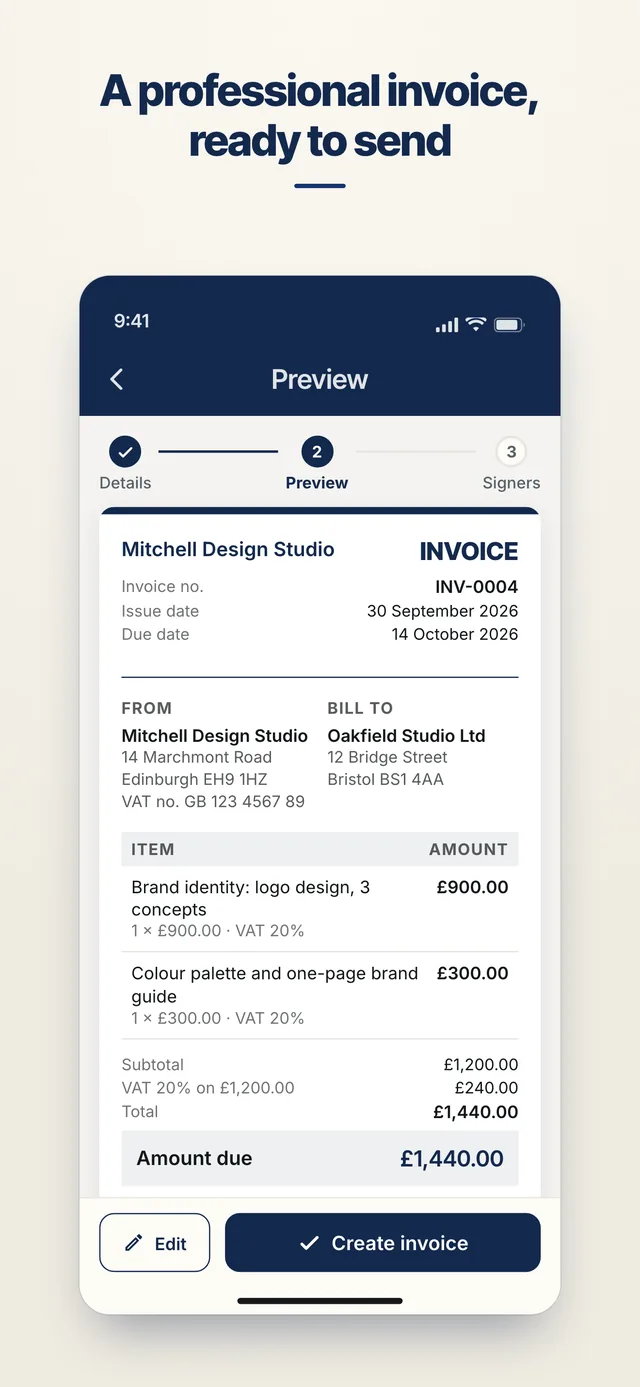
How it works
- Fill it in on your phoneAnswer a few plain questions, or type the items into a quote. You see a preview before anything is created.
- Add who signsPick them from your contacts, or type their email address and AgreeVia sends them a link.
- They sign without an accountThey open it in their browser, read it and sign with a finger. No app to install.
- Everyone keeps a copyThe signed PDF goes to everyone. Every view and signature is in a tamper-evident audit trail you can check at agreevia.co.uk/verify.
Proof, if there's a dispute
Every view and signature is recorded with a time stamp in a tamper-evident audit trail. If someone remembers the deal differently, you have the signed document, a record of when they opened and signed it, and an evidence package you can generate. AgreeVia doesn't give legal advice, and it doesn't take payments: your bank details go on the invoice and your customer pays you directly.
FAQs for graphic designers
My client is a person, not a company. Does that change anything?
Yes. Tell the Freelance Services Agreement that your client is a private person and it adds their 14-day right to cancel, the cancellation form, and the other protections the law gives consumers.
Can I show the work in my portfolio?
Say so in the agreement. Use the intellectual property and confidentiality sections, and check the preview says what you mean before you send it.
Does my customer need to download anything?
No. They get a link, open it in their phone or computer's browser, and sign. They don't need an account or the app, and they get the signed PDF by email.
Is an electronic signature legally valid in the UK?
For everyday business documents like quotes, job agreements and invoices, yes, as long as the person meant to sign. Some documents, such as wills and some deeds, have stricter rules. See Are electronic signatures legal in the UK?
Try it on your next job
Free for 3 documents a month, no card needed. Already have an account? Sign in. AgreeVia works in your browser and is live on Google Play. Coming soon to the App Store.
Other trades
Web designers · Social media managers · Photographers and videographers